

Sports facility management software is essentially the digital brain of your operation. It's what takes all the moving parts—scheduling, billing, maintenance requests, member communication—and brings them together in one place. Think of it as ditching the clunky spreadsheets and scattered paper trails for a single, smart system designed to make your facility run smoother and bring in more revenue.
Why Your Facility Needs a Digital Upgrade
Let's be honest, running a sports facility today involves a lot more than just keeping the lights on and the floors clean. It's a constant balancing act of maximizing every court, every staff hour, and every single member interaction.
If you're still juggling court bookings in an Excel sheet, manually chasing down payments, or tracking maintenance issues on a clipboard, you're not just creating headaches for your staff—you're actively losing money.
These manual, disconnected systems cause friction for everyone, especially your members. We’ve all been there: a double-booked court creates an awkward situation, or a simple billing mistake frustrates a loyal customer. These little operational hiccups might seem minor, but they chip away at your facility's reputation.
Moving Beyond Manual Methods
The biggest issue with old-school management is the lack of real-time visibility. A spreadsheet can't warn you about a scheduling conflict as it's happening, and a paper work order won't ping your maintenance tech's phone. This is where sports facility management software steps in to become the central nervous system for your entire venue.
It creates a single source of truth that cuts through the confusion and gives your team the tools they need. Moving to a digital platform isn't just about getting new tech; it's about fundamentally changing how you operate for the better.
Here’s what that shift really looks like:
- Automate the Tedious Stuff: You can finally free up your staff from the soul-crushing admin work. Let them focus on what truly matters, like building relationships with members or developing new programs.
- Create a Killer Member Experience: Give your members what they expect in 2024. Let them book courts online from their phone, pay their dues without a hassle, and get clear, timely communications.
- Make Decisions with Real Data: Stop guessing. Good software gives you hard numbers on facility usage, peak times, and which programs are most popular. This helps you make smarter choices on everything from staffing levels to future investments.
A digital upgrade shifts your facility from being reactive to proactive. Instead of constantly putting out fires, you can start anticipating maintenance needs, spotting new revenue streams, and planning for growth with confidence.
The True Cost of Inefficiency
Sticking with outdated methods costs more than just wasted time; it hits your wallet directly. Think about the revenue lost from courts that sit empty because of a clunky booking process, members who leave due to poor service, or paying for staff to stand around during quiet periods. A solid software solution helps you plug those leaks.
For a deeper dive into modern operational strategies, this modern sports facility management guide is an excellent resource.
In this guide, we'll walk you through exactly how to make this critical digital jump. We’ll cover how to figure out what you really need, choose the right platform for your facility, and roll it out smoothly without turning your daily operations upside down. It’s time to build a smarter, more profitable facility.
Defining Your Must-Have Software Features
Before you even think about watching a software demo or looking at a price tag, the most critical work has to happen right inside your own facility. The biggest mistake I see managers make is getting wowed by a long list of shiny features they think they need, instead of zeroing in on the ones that solve their real, day-to-day headaches. This is where you build your filter.
Is your front desk staff constantly playing referee with scheduling conflicts for the basketball courts? Maybe your billing process is a clunky, manual nightmare that frustrates members and delays payments. Or perhaps you're just flying blind, making big decisions on staffing and programming without any solid data on when your facility is actually packed.
An honest internal audit is the foundation of a smart investment. And this isn't just about what you see from your office—it's about digging in and finding the hidden friction points your entire team bumps up against every single day.
The process is simpler than you might think. It really boils down to three key actions.
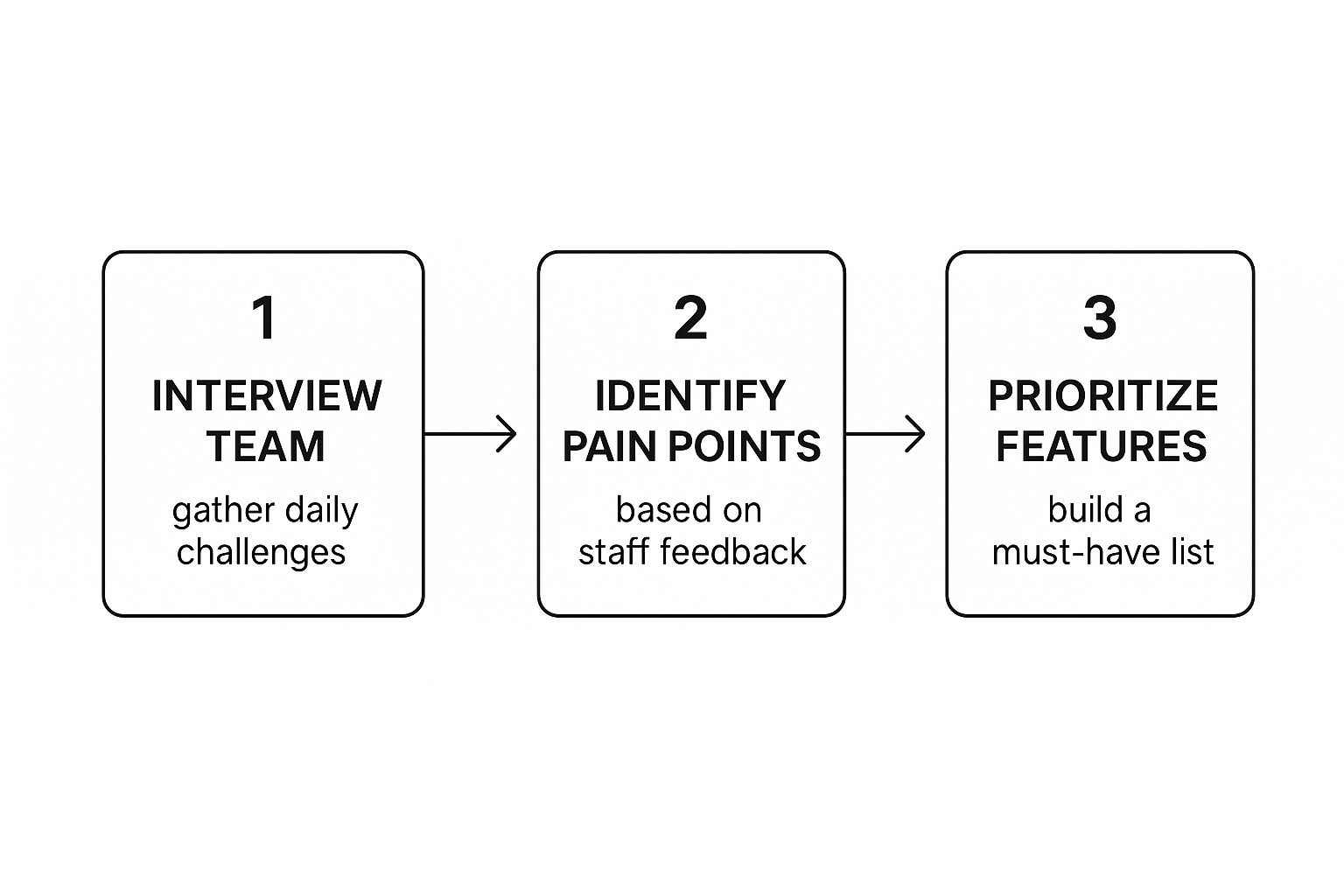
Following this workflow turns vague staff complaints into a concrete shopping list that will guide your entire search.
Uncovering Your Team's Biggest Challenges
The people on the ground—your front desk staff, trainers, and maintenance crew—know the operational bottlenecks better than anyone. Block out some time to actually talk with them, one on one or in small groups. You’ll be amazed at what you uncover.
The key is to ask specific, open-ended questions that get past the usual grumbles:
- For your schedulers: "What's the single most frustrating task you handle when booking courts or classes?" or "If you had a magic wand to fix one part of our member check-in, what would it be?"
- For coaches and trainers: "How much of your time gets eaten up by admin work like tracking attendance versus actual coaching?"
- For maintenance staff: "Walk me through how you get and track work orders right now. What happens when something breaks after hours?"
- For your admin team: "Which part of the monthly billing cycle causes the most errors or takes the most time to complete?"
These conversations give you gold. A scheduler might reveal they spend 30% of their day untangling double-bookings. Just like that, a real-time, conflict-free scheduling module becomes a non-negotiable priority for your new sports facility management software.
Prioritizing Needs Over Wants
Once you've collected all this feedback, it's time to translate those pain points into specific software features. Create a simple document and start sorting everything into three buckets: Must-Haves, Nice-to-Haves, and Not Needed.
This prioritized list is your secret weapon. It lets you instantly disqualify vendors who can't meet your core requirements, saving you from hours of pointless demos.
A "must-have" might be an integrated payment system because your manual invoicing is causing a 15% late payment rate. A "nice-to-have" could be a branded mobile app for members, while a feature for managing pro athlete contracts is clearly "not needed" for a community sports complex.
To help structure this process, work with your team to fill out a checklist. This ensures everyone is on the same page and you have a clear, documented set of requirements to take into your search.
Software Feature Prioritization Checklist
Use this checklist to collaborate with your team and identify the most critical software features for your facility's unique needs.
| Feature Category | Must-Have | Nice-to-Have | Not Needed | Notes/Specific Requirements |
|---|---|---|---|---|
| Scheduling & Booking | ☐ | ☐ | ☐ | e.g., Real-time court availability, recurring class bookings |
| Membership Management | ☐ | ☐ | ☐ | e.g., Automated renewals, member self-service portal |
| Billing & Payments | ☐ | ☐ | ☐ | e.g., Integrated credit card processing, automated invoicing |
| Reporting & Analytics | ☐ | ☐ | ☐ | e.g., Peak usage reports, financial summaries |
| Communication Tools | ☐ | ☐ | ☐ | e.g., Email/SMS notifications for class changes |
| Staff Management | ☐ | ☐ | ☐ | e.g., Time tracking, role-based permissions |
| Mobile App (for Members) | ☐ | ☐ | ☐ | e.g., Book classes, view schedule, make payments |
| Hardware Integration | ☐ | ☐ | ☐ | e.g., Keycard/fob access control, receipt printers |
This simple exercise ensures you're shopping for a solution, not just a collection of features. It's a foundational step that dramatically improves your chances of success.
Connecting Features to Broader Goals
Finally, take that prioritized feature list and tie it back to your facility's big-picture objectives. You aren't just buying a booking tool; you're investing in a system to drive specific business outcomes.
Here’s how that looks in practice:
- Goal: Increase member retention by 10%.
- Must-Have Feature: Automated renewal reminders and a dead-simple online payment portal to reduce churn.
- Goal: Trim utility costs by 5%.
- Must-Have Feature: Facility usage analytics to pinpoint off-peak hours where you can scale back lighting and HVAC.
- Goal: Offer better athlete performance tracking.
- Must-Have Feature: The ability to integrate with specialized fitness testing equipment to log and monitor client progress seamlessly.
When you define your needs first, you completely reframe the conversation. It shifts from, "So, what does your software do?" to "Here's my problem. How does your software solve it?" This approach puts you firmly in the driver's seat and makes sure your final choice delivers a real return.
Comparing the Top Software Solutions
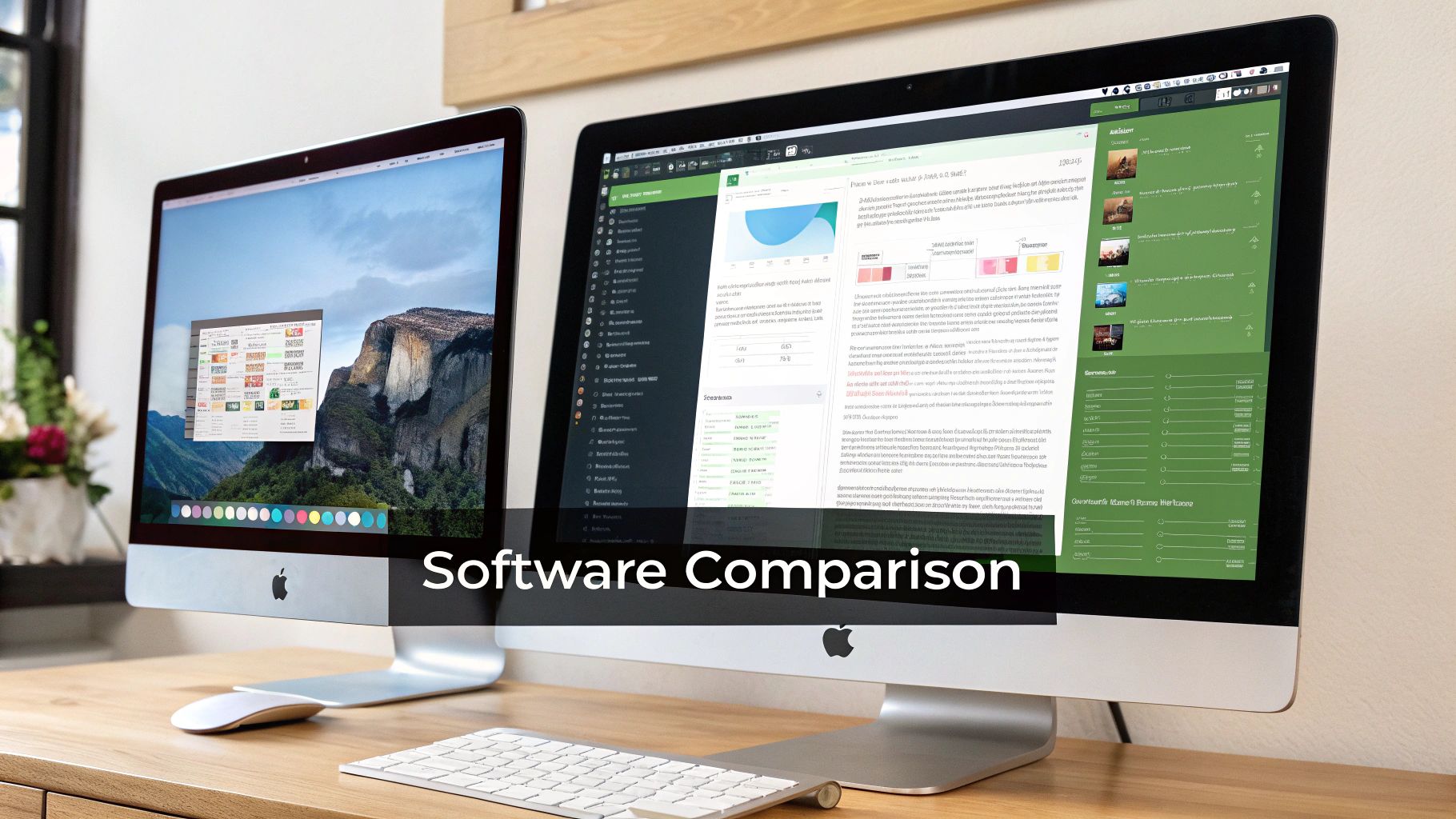
That Capterra screenshot is a perfect example of where your research should begin. Third-party review sites are gold because they aggregate real-world user feedback, letting you see what fellow managers actually think about a platform. You can filter by industry and quickly find top-rated options backed by genuine reviews from people tackling the same daily challenges you are.
Now that you have your prioritized features list, it's time to dive into the market. It’s a crowded space, full of everything from simple booking calendars for small studios to massive, all-in-one systems built for professional arenas. The key is to approach it with a plan.
You aren't just looking for a vendor; you're looking for a partner. That means you have to get past the slick marketing and dig into what each platform truly delivers.
Where to Find Authentic Information
Your first stop should always be independent review websites. These platforms give you unfiltered feedback from actual users—the good, the bad, and the ugly. You can often zero in on reviews from facilities similar in size or scope to your own, which is incredibly valuable.
Look for patterns. If you see ten different users complaining about a clunky reporting tool or five people praising the customer support, pay attention. Those real-world experiences tell you more than a vendor’s perfectly polished case study ever will.
Of course, you’ll need to visit vendor websites for technical specs and feature lists, but always view their claims through a critical lens. Their job is to sell; your job is to find the right solution.
Cloud-Based vs. On-Premise Solutions
One of the first big decisions is whether to go with a cloud-based or on-premise system. Honestly, for most modern facilities, this is becoming an easy choice.
- Cloud-Based (SaaS): This is the model most businesses use now. You pay a subscription fee (monthly or annually) and access the software online. The vendor handles all the headaches—security, updates, and server maintenance. It’s flexible, scalable, and doesn’t require a huge upfront investment.
- On-Premise: This is the old-school approach. You buy a software license outright and install it on your own servers. This demands a massive initial cost and an in-house IT team to manage everything. You get total control, but you lose a ton of flexibility.
The entire market is moving toward the cloud. In fact, the sports facility management software market is projected to grow from USD 2.66 billion in 2025 to nearly USD 4.97 billion by 2030. Cloud-based systems are expected to grab over 65% of that market share.
Deconstructing the Pricing Models
Software pricing can be intentionally confusing, so you need to be on the lookout for hidden costs. That low monthly fee might look great at first, but the add-ons can bleed you dry.
Demand a complete cost breakdown from every single vendor. Make sure to ask specifically about:
- Onboarding Fees: Is there a one-time cost to get the system set up and your staff trained?
- Data Migration: Are they going to charge you to import your existing member and financial data?
- Support Tiers: Is 24/7 phone support included, or is that a premium extra?
- Transaction Fees: Beyond standard credit card processing, does the software take its own cut of every online payment?
If you're working with a tight budget, it can be helpful to check out guides to free membership management software options just to see what's out there. Freemium tools can be a decent starting point for smaller operations, but be aware of their limitations as you grow.
Pro Tip: Never settle for a generic, pre-recorded demo. Always insist on a live one-on-one demonstration where you can grill them with questions from your features list. If a vendor can’t show you exactly how their tool solves your biggest headaches, that's a huge red flag.
Vetting the Technical Specs
Finally, you have to pop the hood and look at the technical details. Two areas are absolutely non-negotiable: integrations and security.
Does the software have an open API (Application Programming Interface)? This is a must-have for connecting it to other tools you already use, like QuickBooks for accounting or Mailchimp for email marketing. Without a solid API, you're setting yourself up for hours of manual data entry. As you compare, consider how each platform works with other specialized tools. For example, our guide on https://www.cartwrightfitness.co.uk/fitness-testing-software/ explains why seamless data flow between management and performance-tracking systems is so important.
Don't be shy about asking tough questions on security and compliance. Where is your member data stored? Is the platform GDPR compliant? Is it PCI compliant for payment processing? A good partner will be completely transparent about their security protocols—in fact, they'll be proud of them. This isn't just about finding a good tool; it's about finding one that's safe and reliable for the long haul.
How to Nail Your Software Rollout Without the Headaches
You can pick the absolute best sports facility management software on the market, but if the launch is a chaotic mess, it’s doomed to fail. A great rollout isn't just about flipping a switch one Monday morning. It’s a carefully planned operation that hinges on your people, your processes, and a whole lot of prep work.
Getting this right is what turns a big software purchase into a genuine operational upgrade for your entire facility. And it all starts long before anyone logs in for the first time—it starts with your data.
Get Your Data House in Order First
Let’s be honest: data migration is the single most critical—and most underestimated—step of the entire process.
Think of it like moving into a new house. You wouldn't just throw all your cluttered, disorganized boxes into a pristine new home, right? You’d sort through them first. The same exact principle applies here. Before you can import anything into your shiny new system, you have to get your existing records squeaky clean.
This means rolling up your sleeves and diving into your member database, old financial spreadsheets, and booking histories. The goal is to hunt down and fix inaccuracies, merge duplicate entries, and standardize how everything is formatted. It’s tedious, but skipping this step will come back to haunt you.
Look out for these common data traps:
- Duplicate Member Profiles: You'd be surprised how many times "Jon Smith" and "Jonathan Smith" are the same person with two different accounts. Merging these now prevents massive billing and access headaches later.
- Outdated Contact Info: What good are your new communication tools if half your emails and phone numbers are wrong? They become useless on day one.
- Messy Financial Records: If your payment histories are a jumble, you risk sending out incorrect invoices the moment you go live. That’s a fast way to alienate members.
A clean data import is the foundation of a smooth rollout. Starting with accurate, organized information ensures your reports are trustworthy and your automated processes—like billing and member communication—work correctly from the get-go.
Don't Do It All at Once: The Phased Rollout
The temptation to launch everything for everyone at the same time is huge, but it's a massive gamble. A much smarter and safer strategy is a phased rollout. Instead of a "big bang" that could blow up in your face, you introduce the software to a small, controlled group first.
This initial pilot group should be a mix of your most adaptable and tech-savvy staff members. Think of them as your friendly internal beta testers. Their job is to use the system in real-world scenarios, push its limits, and find any bugs or confusing workflows before they affect the whole team.
For instance, you could have your front desk supervisor handle all member check-ins through the new software for a week while everyone else sticks to the old system. This lets them spot any hitches in the check-in process without bringing your entire lobby to a standstill during the 5 PM rush. Their feedback is pure gold. It allows you to fix things before they become a facility-wide problem.
Build a Training Plan People Will Actually Use
A single, hour-long webinar is not a training plan. To be effective, training has to be ongoing, specific to each person's role, and completely hands-on. Your goal isn't just to show your team what the buttons do, but to build their confidence so they can use the tool effectively when a line of members is staring them down.
A solid training strategy should have a few different layers:
- Role-Specific Sessions: Your front desk staff needs to master member check-in and POS, while your maintenance crew needs to understand the work order module. Break training into small, focused groups based on how they'll actually use the sports facility management software.
- Create Simple "Cheat Sheets": Nobody wants to dig through an 80-page manual. Develop one-page, laminated guides for the most common tasks and keep them where people work. A simple guide on processing a new membership next to the register is incredibly effective.
- Appoint an Internal "Super User": Find that one person on your team who is enthusiastic and picks up the new system quickly. Make them the go-to person for quick questions on the floor. This takes a huge burden off of managers and helps people get answers fast.
- Connect It to Their Current Job: Show your team how the software makes their existing tasks easier. You can demonstrate how the new digital work order system replaces that old, messy clipboard, which ties directly into the advice from our fitness equipment maintenance checklist. When they see the direct benefit, you'll get buy-in much faster.
Using Software Data for Smarter Decisions
So, your new sports facility management software is up and running. Great. But if you think of it as just a digital day planner, you're leaving money on the table. The real game-changer isn't just organizing your schedule—it's using the data it collects to shift from simply reacting to problems to proactively building a smarter, more profitable business.
This is the point where you stop guessing and start knowing. Your software’s analytics dashboard is packed with insights just waiting to be uncovered. It's time to dig in and let the numbers tell you the real story of how your facility operates.

Identify Your True Profit Centers
Every facility manager has a gut feeling about what’s popular, but feelings don’t always align with the bottom line. Data, on the other hand, is brutally honest. It will show you exactly which programs and services are generating the most revenue per hour or per square foot.
Dive into your reports. You might be surprised by what you find. Maybe those weekend youth basketball clinics that seem perpetually busy actually have razor-thin margins once you factor in the high staffing costs. At the same time, the data might reveal that your off-peak pickleball court rentals are a quiet but incredibly profitable powerhouse.
Once you know what's really driving revenue, you can take action:
- Lean into your winners: Open up more time slots or dedicate more resources to your most profitable offerings.
- Fix the underperformers: Can you adjust pricing, tweak staffing, or change the marketing for services that aren't pulling their weight?
- Get creative with promotions: Offer a can't-miss deal on less-used courts during specific times to drive up utilization and introduce new people to the space.
This is precisely why the global market for this kind of technology is exploding. Valued at USD 311.5 million in 2024, it's projected to hit a staggering USD 1,253.4 million by 2032 as more facilities catch on. You can get a deeper look at these figures in this report on sports management software trends from fortunebusinessinsights.com.
Pinpoint and Plug Retention Leaks
Losing members is like trying to fill a bucket with a hole in it. Member retention is the lifeblood of your facility, and your software is your best tool for monitoring its health with surgical precision. Forget waiting for an end-of-year report; you can track renewal rates in real-time.
See a sudden drop in renewals from members who joined six months ago? That’s not a random fluke—it’s a signal. It could point to a weak spot in your onboarding process or a dip in engagement after the initial novelty wears off.
By monitoring membership trends closely, you can spot retention issues the moment they appear. This allows you to intervene with targeted re-engagement campaigns before a small problem becomes a major churn crisis.
Use your software’s built-in communication tools to get ahead of the curve. You could automate a quick survey to go out to members at the three-month mark, asking for honest feedback. Their answers will give you clear, actionable ways to improve their experience and keep them for the long haul.
Optimize Staffing and Resource Allocation
One of the quickest ways to burn through your budget is with sloppy scheduling. Overstaffing during quiet periods is wasteful, and being understaffed during a rush frustrates members and burns out your team. Both scenarios hurt your bottom line.
Your software’s usage reports take all the guesswork out of it. The data will clearly map out your peak and off-peak hours for every day of the week.
- Real-World Scenario: Your dashboard shows a consistent lull every Tuesday from 1:00 PM to 3:00 PM. That’s an immediate opportunity to adjust your staffing schedule, potentially saving hundreds of dollars a week. It’s also the perfect window to schedule routine court maintenance without disrupting anyone.
You can also go deeper and track resource consumption. If your platform connects with smart building systems, you can even analyze things like energy usage. When are your peak electricity hours? Knowing this can help you make smarter decisions about your lighting and HVAC settings, leading to some serious savings on your utility bills.
When you use every piece of data your sports facility management software gives you, it stops being a simple tool and becomes a strategic partner, actively helping you build a healthier, more profitable facility.
Answering Your Top Questions About Facility Management Software
Thinking about a major software upgrade for your sports facility? If so, you've probably got a lot of questions. That’s a good thing. A smart investment means getting clear, straightforward answers before you sign on the dotted line. Let's tackle the most common questions we hear from facility managers just like you.
What’s This Going to Cost Me?
It's the first question on everyone's mind, and the honest answer is: it really depends on your operation. The price tag can swing wildly, from a couple hundred dollars a month for a small, single-location gym to several thousand for a sprawling multi-sport complex that needs an enterprise-level system.
The vast majority of providers these days use a Software-as-a-Service (SaaS) model. This means you're paying a recurring subscription fee—usually monthly or annually—instead of shelling out for a massive one-time purchase. While this makes the software more accessible upfront, you have to look past the sticker price to understand the true cost.
When you're vetting potential partners, you need to dig deeper and ask about the other charges that can pop up:
- Implementation and Onboarding Fees: Is there a one-time cost to get the system configured and your team up to speed?
- Data Migration Charges: If you have an existing member database, will they charge you to move it over?
- Premium Support Tiers: Is the 24/7 support you might need included, or is that a pricey add-on?
Getting a complete, all-in quote is the only way you can budget accurately and avoid nasty surprises later on.
Will It Play Nicely with My Other Tools?
This isn’t a nice-to-have; it's a must-have. A new platform that can’t connect with your existing tools just creates more work, forcing your team into double-data entry and creating a breeding ground for errors. Your sports facility management software should be the central hub of your operation, not an isolated island.
The magic behind this is a good API (Application Programming Interface), which lets different software systems talk to each other. Before you get serious about any provider, make a list of the software you absolutely can't live without.
For most facilities, that list includes:
- Accounting Software: Think QuickBooks or Xero for keeping the books straight.
- Payment Processors: Services like Stripe or Square for handling member payments.
- Marketing Platforms: Your email system, like Mailchimp or Constant Contact.
During your demos, don't just ask if they integrate—ask to see how. A clunky integration is almost as bad as no integration at all. Seeing a smooth, automated connection between your facility software and your accounting platform, for example, is a great sign.
Cloud-Based or On-Premise: Which is Better?
While this question still comes up, the market has pretty much declared a winner. Still, it's important to understand the difference so you can make the right call for your facility's specific needs.
For the vast majority of modern sports facilities, the flexibility, lower upfront cost, and reduced IT burden of cloud-based software make it the clear choice. It lets you focus on running your facility, not on managing servers in a back room.
Here's a quick side-by-side comparison:
| Aspect | Cloud-Based (SaaS) | On-Premise |
|---|---|---|
| Hosting | The vendor hosts everything on their servers. | You buy and maintain your own servers. |
| Access | From any web browser with an internet connection. | Limited to devices on your facility's network. |
| Cost | A recurring subscription fee (monthly/annually). | A huge one-time license fee plus hardware costs. |
| Maintenance | The vendor handles all updates, security, and fixes. | Your IT team (or you) is responsible for everything. |
While an on-premise system gives you total control, the required investment in hardware and dedicated IT staff is simply out of reach for most organizations. The scalability and sheer convenience of cloud systems are why they absolutely dominate the market today.
How Long Will It Take to Get Up and Running?
Setting realistic expectations for the implementation timeline is key to a smooth transition. For a small club with a clean, organized member list, you could be fully operational in as little as 2-4 weeks.
But for a more complex facility—maybe one with a massive database, multiple revenue streams, and a need for custom training—you'll want to plan for a longer runway. A project of that size could easily take 3-6 months from the day you sign the contract to your official launch.
What makes the timeline longer or shorter? It usually comes down to a few key things:
- Data Quality: The cleaner your existing data is, the faster it can be migrated. "Garbage in, garbage out" really applies here.
- Team Availability: Your own staff needs to be available for training sessions and testing the new system.
- Customization: If you need special features or complex integrations built, that will naturally add time to the project.
A good vendor will give you a detailed project plan with clear milestones. This way, everyone knows what to expect and when, keeping the entire process on track.
At Cartwright Fitness, we know that peak performance relies on the right tools—for both the athletes and the facilities that train them. While we specialize in high-precision testing equipment, we understand that efficient management is the backbone of any successful fitness environment. To see our full range of professional-grade solutions, visit us online.